
Wirefly helps you save on cell phones and plans by offering innovative comparison tools so consumers can make educated choices. Start saving today with Wirefly!
Wirefly helps you save on Internet service by offering innovative comparison tools to compare Internet providers in your area.
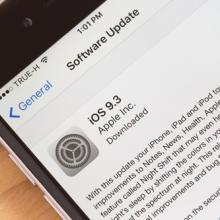
Apple officially rolled out iOS 9.3, the latest version of its iOS mobile operating system, back in March 21st of this year, together with the unveiling of its new 4 inch iPhone offering, the iPhone SE, and a shrunken version of last year’s iPad Pro, the 9.7 inch iPad Pro. But it turned out that the deployment of iOS 9.3 had caused some installation issues that affected older models of iPhone and iPad devices. So a week ago, Apple decided to out a second version of iOS 9.3, specifically build number 13E236 (that, among other things, fixes some issues ailing the iPad 2 tablet). This week, Apple has moved on to releasing a third version of iOS 9.3, designated build number 13E5237, in order to fix similar issues still being encountered by iPhone 5s units, as well as earlier models of iPhones, and the iPad Air and older iPad tablet models.
Apple has already published a couple of support documents that should guide users who can not activate their iOS powered handset when attempting to install iOS 9.3. The first document details instructions for affected iPhone 5s devices plus earlier models of iPhones and the iPad Air and older models of iPad tablets. The other document is for issues concerning the iPad 2.
But it appears that new bugs are cropping every time. There is even an issue affecting not only iOS 9.3 but also iOS 9.2.1, which causes the Safari web browser, Mail, and other mobile apps to become unresponsive or crash when users try to access a link. Disgruntled iOS mobile users have already taken to Twitter and in the Apple Support Communities in order to voice out their frustrations.
There have been some suggested workarounds for those affected with the Safari issue. They are urged to deactivate JavaScript for the web browser by going to Settings, select the entry for Safari, scroll to the bottom section of the screen, and then choose the entry for Advanced, where they can disable the option for JavaScript.
The issue seems to be connected to the universal links that Apple first debuted with the release of iOS 9. For those not familiar with universal links, they basically have the ability to directly launch a mobile app as opposed to having to open its associated web page via the Safari browser. Apple has since acknowledged the problem, and has promised to deploy a fix by way of a software update in the days to come.
Wirefly offers great deals on a large selection of smartphones, cell phones, tablets, mobile hotspots, and other wireless devices for the nation's most popular carriers. Use Wirefly’s innovative cell phone and plan comparison tools to ensure you are getting the best deal on the market. Shop with confidence knowing that Wirefly wants to help you find the best prices on cell phones, cell phone plans, TV, and Internet service.